
What happens to the file?
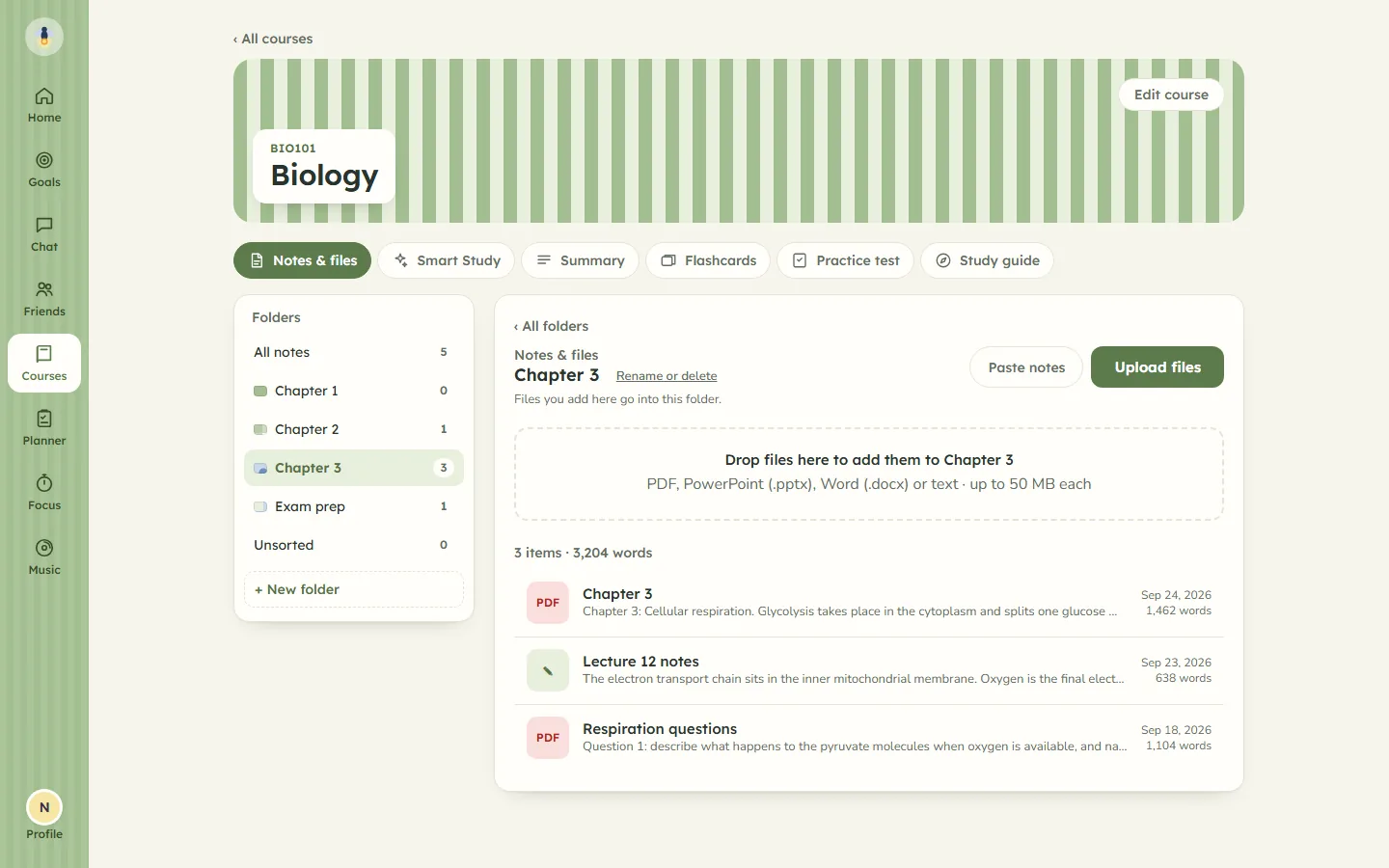
It stays on your device. Firefly takes the text out of it inside your browser, and the file itself is never uploaded.
How the reading works
The usual way to turn slides into flashcards is to upload the file to a website and let its server do the rest. Firefly does the reading first, on your side. A PowerPoint file is a bundle of smaller files, one per slide, and your browser opens it and collects the words on each slide. A PDF is read page by page, and a Word file paragraph by paragraph. The code that does this comes from cdnjs, a public host for code libraries, and runs on your device; your file is never sent to cdnjs or to Firefly.
What gets saved is plain text: a note with the file's name as its title, filed in whichever course folder you dropped it into. You can open that note, read exactly what was taken out, and correct it.
Can AI turn my lecture slides into flashcards?
Yes, as long as the slides have words on them. Firefly sends the text of your notes to an AI provider and asks for flashcards made only from what is in them.
What is sent, and where it goes
The text goes from Firefly's server, not your browser, to Groq, or to Google's Gemini for longer notes or when Groq is unavailable. The note's title and text are sent, and nothing that identifies your account, such as your email address or username. For new cards, the fronts of up to 60 cards already in the course are sent as well, so the new ones do not repeat them, and any card whose front matches one you already have is dropped. The privacy page sets out what each provider receives.
Adding a file or pasting notes sends nothing on its own. Cards arrive when you ask for them:
- Press Generate. Firefly makes a set from the notes in the folder you have open, or the whole course, and files them there.
- Write your own. Add one card at a time, or paste many at once, and they sit in the same deck as the generated ones.
How many cards does it make?
Roughly one card for every 150 words of notes, and never fewer than 5 or more than 25 at a time.
A 3,000-word lecture comes to about 20. Longer material needs more than one press of Generate, and the cards you already have are passed along each time so the next set covers new ground. Each card has a question or term on the front and a short answer on the back.
Can a general AI chatbot make flashcards from a PDF?
Yes. Most general chatbots will read a PDF and give back a list of questions and answers, and for a single evening that can be enough.
What you are left with is a list. It does not know which cards you keep getting wrong, it does not bring them back when you are about to forget them, and next week's slides start a new list from scratch. You also give the chatbot the whole file rather than just its text. Firefly keeps the cards next to the notes they came from and schedules them for you, which is the part that makes flashcards work.
Why do hard cards come back sooner?
Because a card you struggle with needs a shorter gap before you see it again. This is spaced repetition: spreading your reviews out over days helps you remember more than going over everything in one sitting. Firefly's version is based on a long-established method called SM-2.
Source: Cepeda and others, “Distributed practice in verbal recall tasks”, Psychological Bulletin, 2006.
After you turn a card over, you rate it:
The four buttons, and when each card comes back
| Button | Next time you see it |
|---|---|
| Again | In ten minutes, and again before this session ends |
| Hard | Tomorrow, then at about the same gap as last time, or a little longer |
| Good | Tomorrow, then in three days, then at gaps that keep growing |
| Easy | In three days, then six, then at gaps that grow faster than Good |
Each button shows the wait before you press it. Pressing Again or Hard also slows how quickly that card's gaps grow from then on, and Easy speeds them up, so the cards you find difficult stay close and the ones you know drift out towards a year. Space turns the card over and the keys 1 to 4 rate it.
Practise all runs through every card in a shuffled order without changing any of the dates, for the night before a test.
Fixing, adding and sorting cards
AI gets things wrong, and slides are often shorthand. Every card can be changed.
- Edit a card. Tap it to change the front, the back or its folder, or to delete it.
- Add your own. Write one card at a time, or paste many at once, one per line as
question | answer. Tab-separated lines copied from a spreadsheet or another flashcard app work too. - Sort by folder. Each course has its own cards, and opening a folder, such as a chapter or a week, shows only that folder's cards.
The same cards feed Smart Study, which turns them into multiple choice, matching, true or false and typed-answer questions, and brings back the ones you get wrong more often.
What it does not do
- It does not read pictures. A scanned PDF, or a slide that is only a diagram, has no text to take out, and Firefly will say so.
- It does not read speaker notes, older .ppt or .doc files, or anything bigger than 50 MB. PDF, PowerPoint (.pptx), Word (.docx), plain text and Markdown files all work.
- It does not check the facts. The AI is told to use only your notes, but read your cards before you rely on them.
- It does not charge. Firefly is free while invitations are limited, and everyone gets the same allowance of forty generations a day. Each press of Generate uses one; adding a file or writing your own cards uses none.
Flashcards are one part of Firefly. The same notes become a practice test, a summary and a study guide, and the study timer counts the hours you spend on them. See everything Firefly does.