
Most study timers count generously
A timer is easy. Knowing what it counted is the hard part.
Most study apps log a session from the moment you press start to the moment you press stop. Leave the tab open over lunch and that is an hour of study. Forget to stop it overnight and you have had a remarkable week. The number looks good and means very little.
Firefly works the other way round. It starts from the question "did you sit through this?" and only counts the time where the answer is yes. The rules are below, because a total is only worth reading if you know how it was made.
Does a paused timer count as study time?
No. A paused timer is not study time, and Firefly counts none of it.
Press pause and the clock stops. Resume within five minutes and it carries on from where it was. Stay paused for longer and the session stops by itself, ending at the moment you paused, so the five minutes you spent deciding are not counted either.
What happens if I switch tabs or close Firefly?
Firefly pauses the timer on its own, and ends the session where you left if you do not come back.
- Another tab or app. Looking something up is part of studying, so you get five minutes. Come back within them and the clock carries on. Stay away longer and the session closes at the point you left, so it only holds time you actually studied.
- Closing Firefly. The timer pauses as the page closes. Come back within a minute and it carries on. Otherwise the session ends where you left it, not where you came back.
If you paused the timer yourself, leaving the tab changes nothing: it stays paused, and stops by itself after five minutes.
The fine print
The start, pause and stop times are set by Firefly's server rather than your device's clock, and no single session can run past twelve hours.
Rounds or a stopwatch
There are two ways to study, and you pick one before you start.
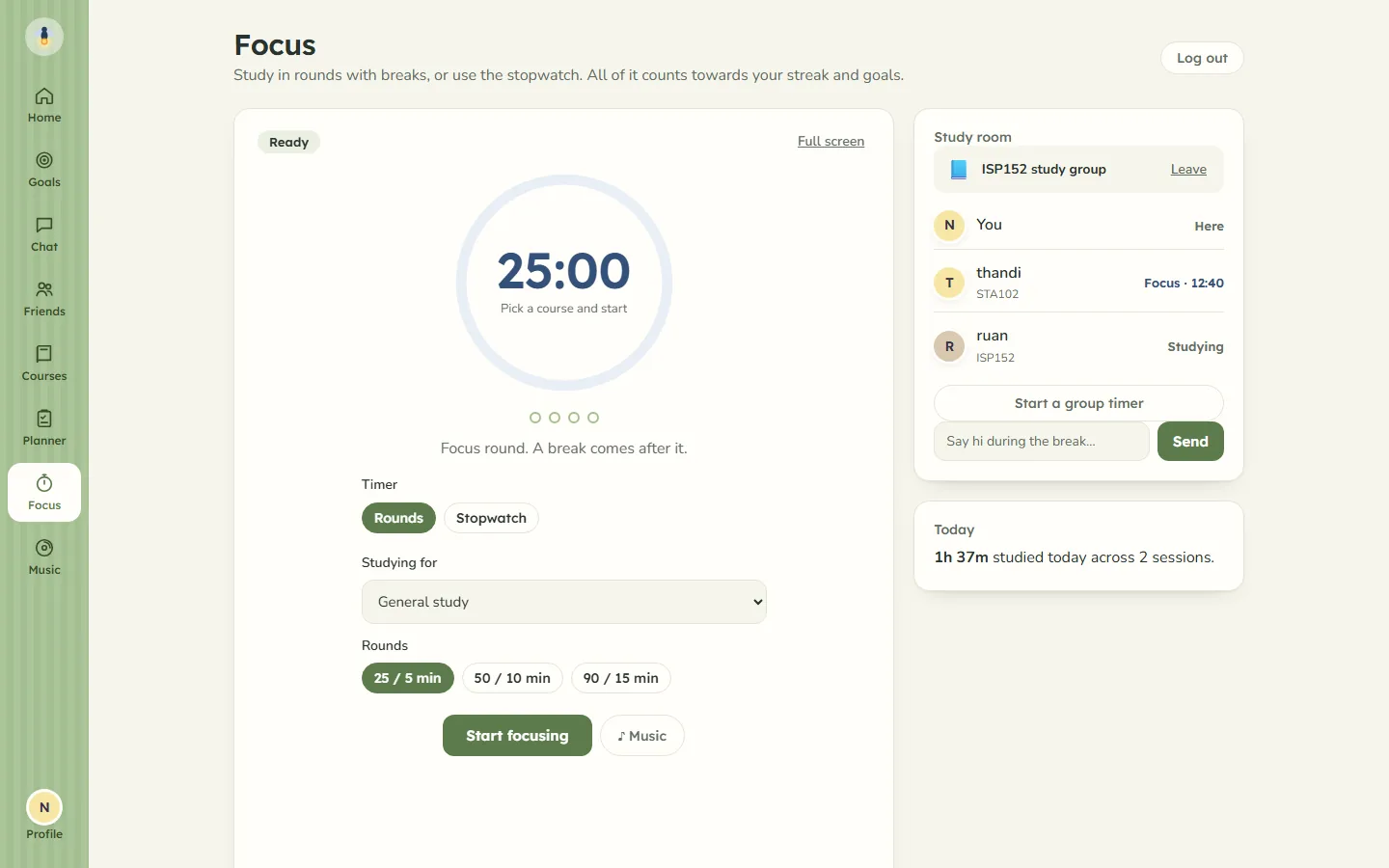
Rounds are Pomodoro-style: a focus round, then a break, with a longer break after every fourth round. There are three lengths:
| Focus | Break | Long break |
|---|---|---|
| 25 min | 5 min | 15 min |
| 50 min | 10 min | 20 min |
| 90 min | 15 min | 30 min |
The timer chimes softly when a round or a break ends, and you can skip a break if you would rather keep going.
The stopwatch counts up from zero with no schedule. It suits reading, problem sets and anything that does not break neatly into 25 minutes. Pause it whenever you need to.
Either way, pick a course before you start, or leave it as general study. If you plan a study block in the planner, its "Start timer" link opens the timer with that course already chosen. There is a full-screen mode that shows only the timer.
Do breaks count toward my study hours?
No. Breaks between rounds are treated like a pause, so a 50/10 round adds 50 minutes, not an hour.
The one difference is that a planned break does not stop your session. When it ends, the next focus round starts and the clock picks up again.
Where your hours go
Every minute the timer counts goes to three places.
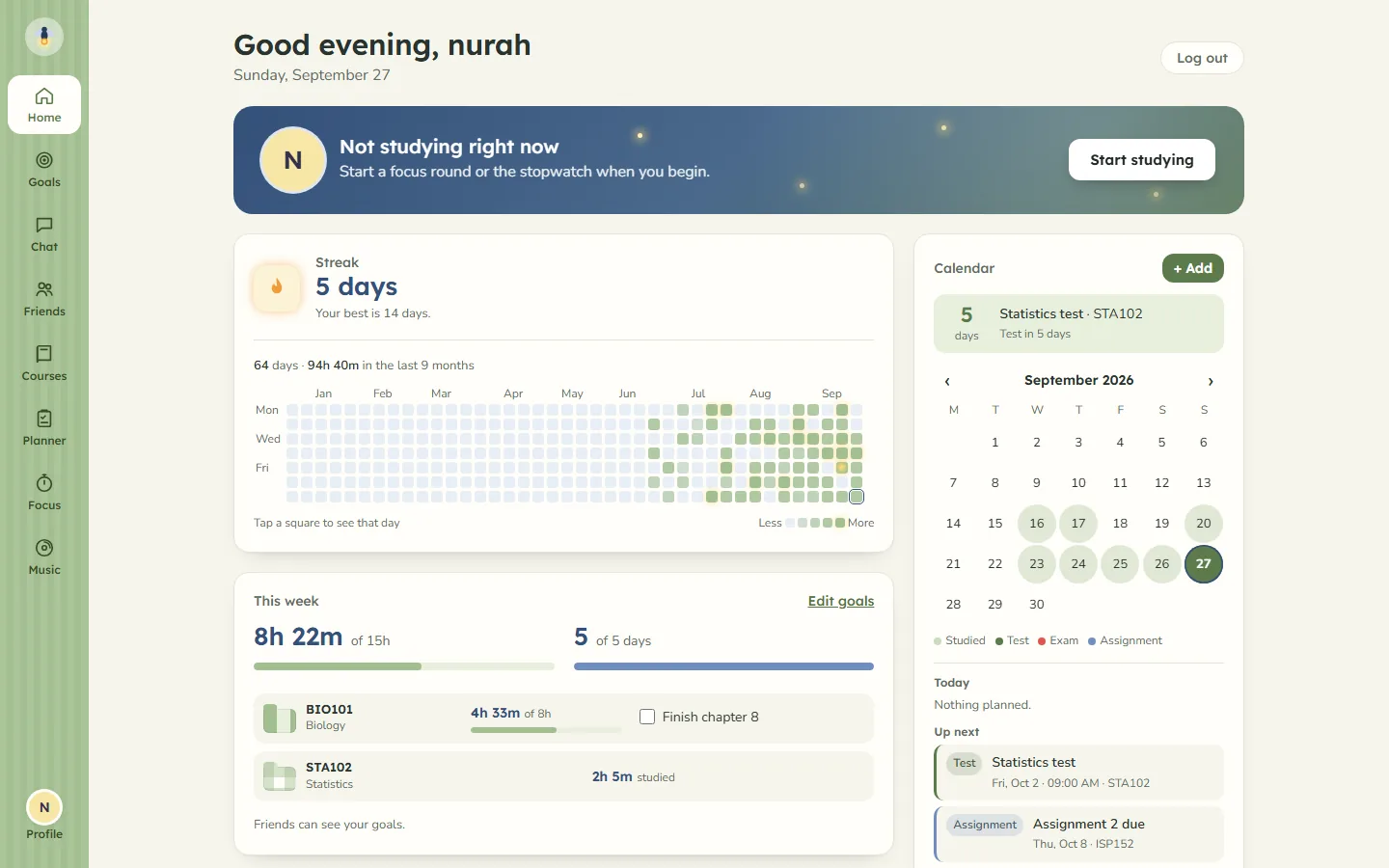
Your week. The week runs Monday to Sunday. Set how many hours you want to study, from one to eighty, and on how many days. You can also pick the courses you want to focus on, give each one its own hours, and write down something you want to get done, like "finish chapter 3", to tick off when it is done. The home screen shows how far along you are in hours and in days.
Your streak. A day counts when you study on it, and a streak is the run of days in a row. Days are counted in South African time. Home tells you your current streak, your best one, and whether today still needs a session to keep it going.
Your year. A grid of small squares, one for each day, going back up to a year. A day stays dark until you study at least a minute on it, and glows brighter the longer you studied. Tap a square to see that day's time and which courses it went on. The Focus screen keeps a simpler count of its own: how long you have studied today, and across how many sessions.
Studying alongside friends
The people who see your study time are the friends you add, and nobody else.
Friends see whether you are studying right now and for how long, or that you are on a break. That live status never says what you are studying. When you finish a session of ten minutes or more, friends get a short update that names the course, and they see your streak and study time. Your weekly goals are shown to friends too, unless you switch that off.
Study rooms come from your group chats. Open one and you see each other's timers live, with the course each person is on. One person can start a group timer so everyone's rounds and breaks line up, and the room's chat only opens while you are on a break. More on that on studying with friends.
What the timer does not do
- It does not guess. Time you did not sit through is not added back later.
- It does not see what else you have open, where you are or what you type. It records when a session started, paused and ended, and which course it was for. The privacy page sets out exactly what is kept.
- It does not charge. Firefly is free while invitations are limited.
The timer is one part of Firefly. The same app turns your own notes into flashcards, summaries and practice tests, keeps a weekly planner, and holds your courses together. See everything Firefly does.