
Company, not an audience
Most places to study online are public rooms. You join, a grid of people you have never met is already there, and the number of them is the selling point.
Firefly works the other way round. There are no public rooms, no matching with study buddies, and no cameras or microphones. The people you study with are friends you added and accepted, or friends of theirs in a group chat you share. That is the whole list.
What is body doubling, and can you do it online?
Body doubling means doing a task while someone else is there doing theirs, in the same room or on a screen, because their company makes it easier to start and to keep going. Yes, it works online, and it does not need video.
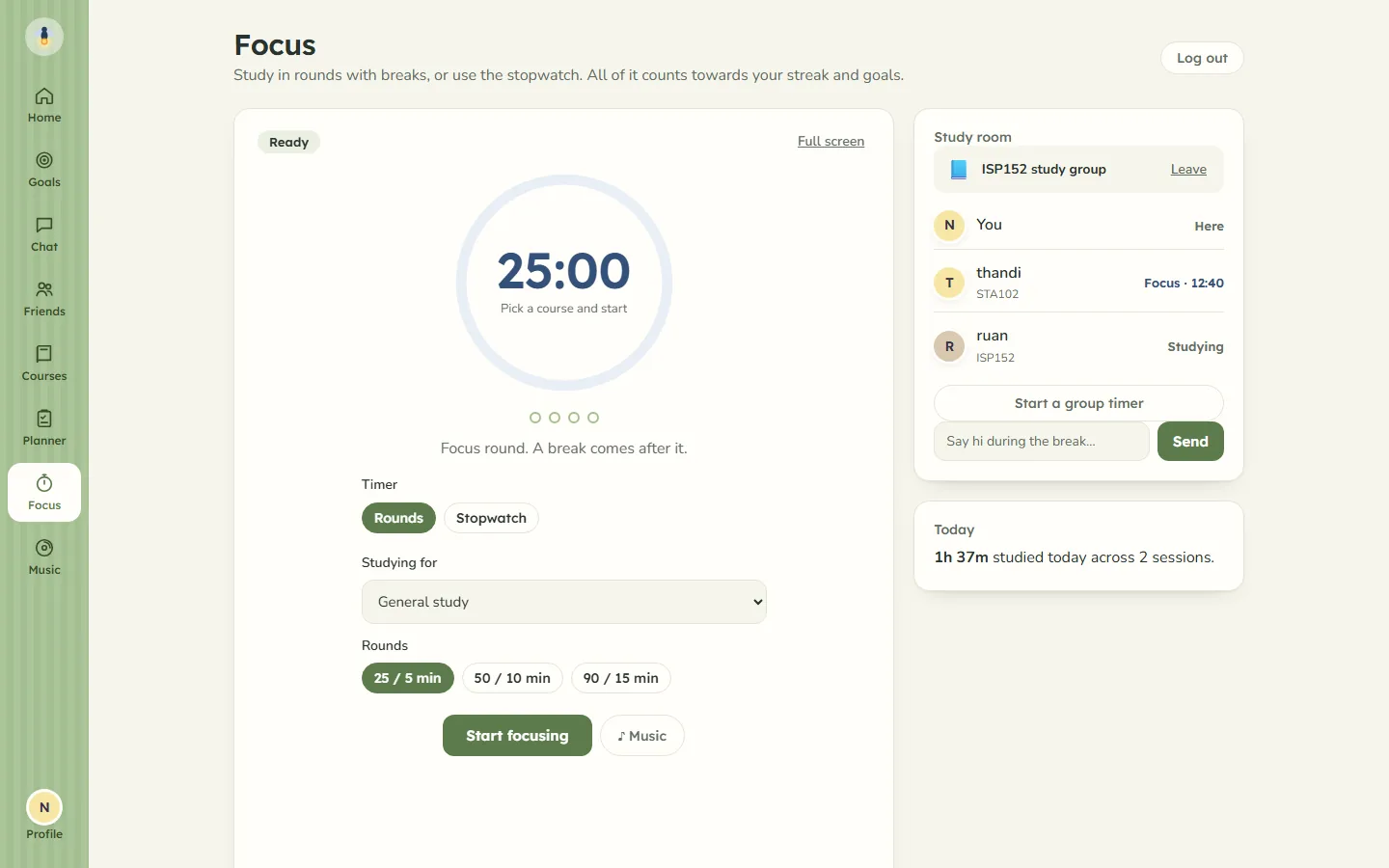
A Firefly study room is body doubling with people you know. You see your friends' timers running beside yours, and the quiet fact that they are still at it is most of the point. Firefly does not claim it will fix your focus. It just gives you the company.
Adding friends
Search for a friend's username, send a request, and nothing is shared until they accept. You can cancel a request you sent or decline one you received.
If they are not on Firefly yet, send them an invite on WhatsApp or copy it into any chat. Every account is still approved by a person, so an invite is a way in, not a shortcut.
What your friends can see
Friends see:
- that you are online, whenever you have Firefly open.
- whether you are studying right now and for how long, or that you are on a break. That live status never says what you are studying.
- your username and picture, your study time and your streak.
- your weekly goals, unless you make them private.
- short updates when you finish a session of ten minutes or more, meet a goal, or reach a streak milestone. A finished-session update names the course.
Friends do not see your courses, notes, study material, planner or to-do list. Nobody does. The privacy page sets out exactly who sees what.
Can strangers join a Firefly study room?
No. A study room belongs to one of your group chats, and only people in that group can open it. A group chat can only be made with friends, and only the person who runs it can add anyone, and only from their own friends.
So the only people you might meet there who are not your own friends are friends of whoever runs the group. They see your username, picture, messages in that group, and in its study room whether you are focusing or on a break and which course. They do not see your study time, streak or goals.
How a study room works
Open the Focus screen, pick a group chat, and you are in its room. Everyone there sees each other's timers live, with the course each person is on.
- A group timer. Anyone in the room can start one, and the others can join it. Once you are on it, everyone's rounds and breaks run on the same clock, so you all stop at the same moment. Group timers work in rounds, from 25/5 to 90/15 minutes, not on the stopwatch.
- Chat on breaks. The room has a small chat of its own, and it is closed while you are in a focus round. It opens on your break. Room chat is not kept: it disappears when you leave.
- Your own time. Every minute still counts only for you, under the same rules as the study timer. A group timer does not add time you did not sit through.
Streaks side by side
The Friends page keeps a small board of you and your friends, ranked by current streak or by hours studied this week. It shows the top ten.
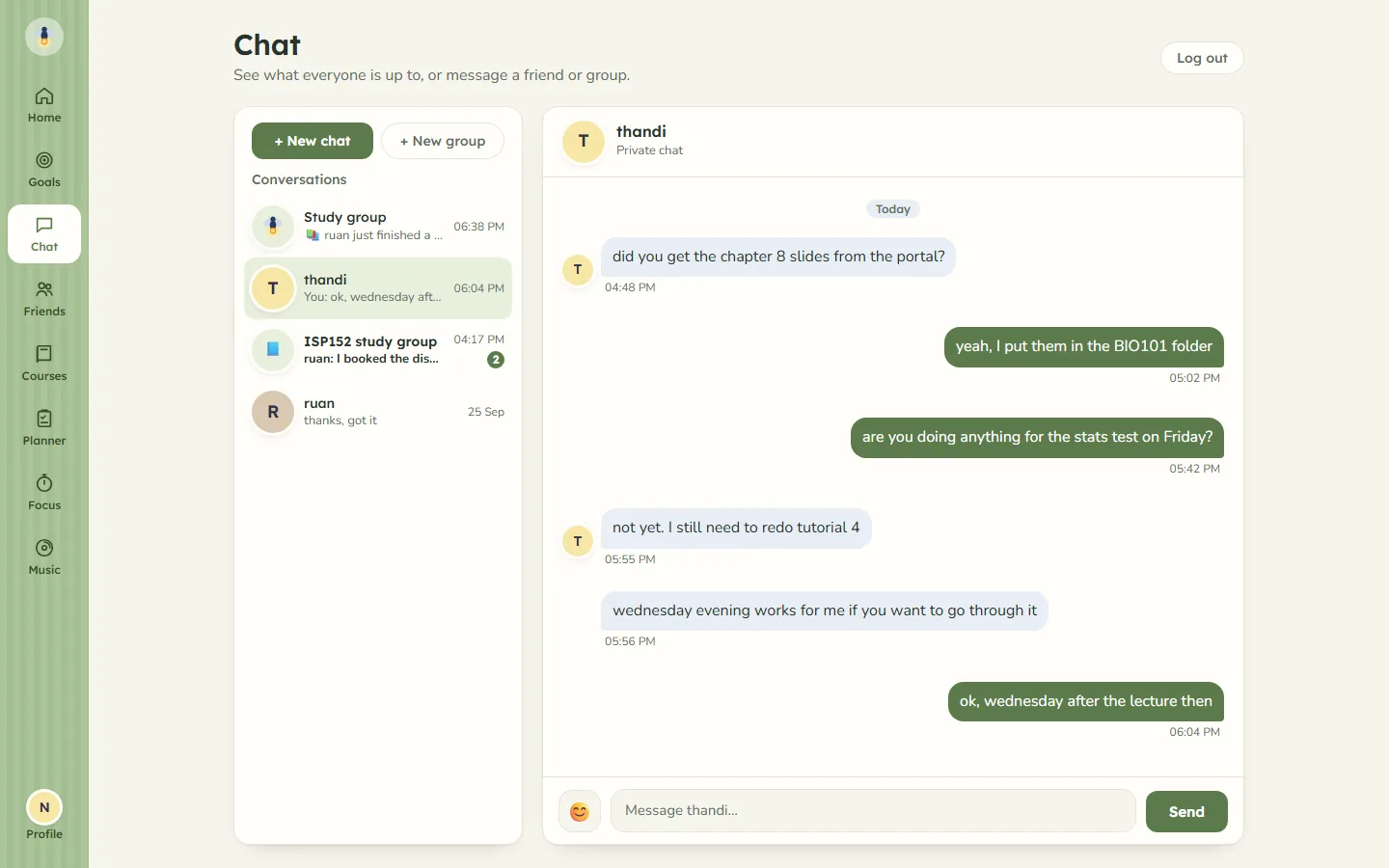
The chat list has a feed called Study group, where the updates from you and your friends land. Nobody can type in it. You can only react, with a quick emoji or any other.
Chat, private and in groups
You can message any friend privately, and make group chats with friends, with a name and an emoji or picture. React to any message with any emoji, and delete your own messages when you need to. Leave a group whenever you like.
If you need to block someone
Blocking someone ends any friendship or request between you. They can no longer find you in search, add you or message you, and they cannot see your profile, study time or streak. In a group chat you are both in, you stop seeing each other's messages, and they no longer see you in a study room you share. You can unblock them later from the Friends page.
Friends are one part of the same app that keeps an honest study timer, a weekly planner, and your courses together. See everything Firefly does.