
Rereading feels like studying
Rereading is comfortable. The page looks familiar, familiar feels like known, and an evening goes by. The trouble shows up in the exam, when there is no page to look at. A practice test takes the page away, which is less pleasant and more useful.
Does testing yourself work better than rereading?
Yes. Testing yourself helps you remember more, for longer, than reading the same material again. Researchers call it retrieval practice: recalling something makes it easier to recall next time, and a question you get wrong shows you exactly where to look. Rereading gives you neither.
It helps most with a gap. A test the day after you read something tells you more than one taken straight away, because it shows what stayed.
Source: Roediger and Karpicke, “Test-enhanced learning”, Psychological Science, 2006.
How do you make a practice test from your notes?
Turn each idea in your notes into a question, answer the questions later without looking, then mark yourself against the notes. It works on paper.
- Take one chapter and write a question for each thing that could come up: a definition, a process, a comparison.
- Use multiple choice or true or false for facts, and short answers for anything you would have to explain.
- Put the notes away and come back later.
- Answer everything, mark it against your notes, and note why each wrong answer was wrong.
- Test yourself again on the ones you missed.
Writing the questions is slow, and a fair question is hard to write about something you have not understood yet. Firefly does that part.
How Firefly makes a test from your notes
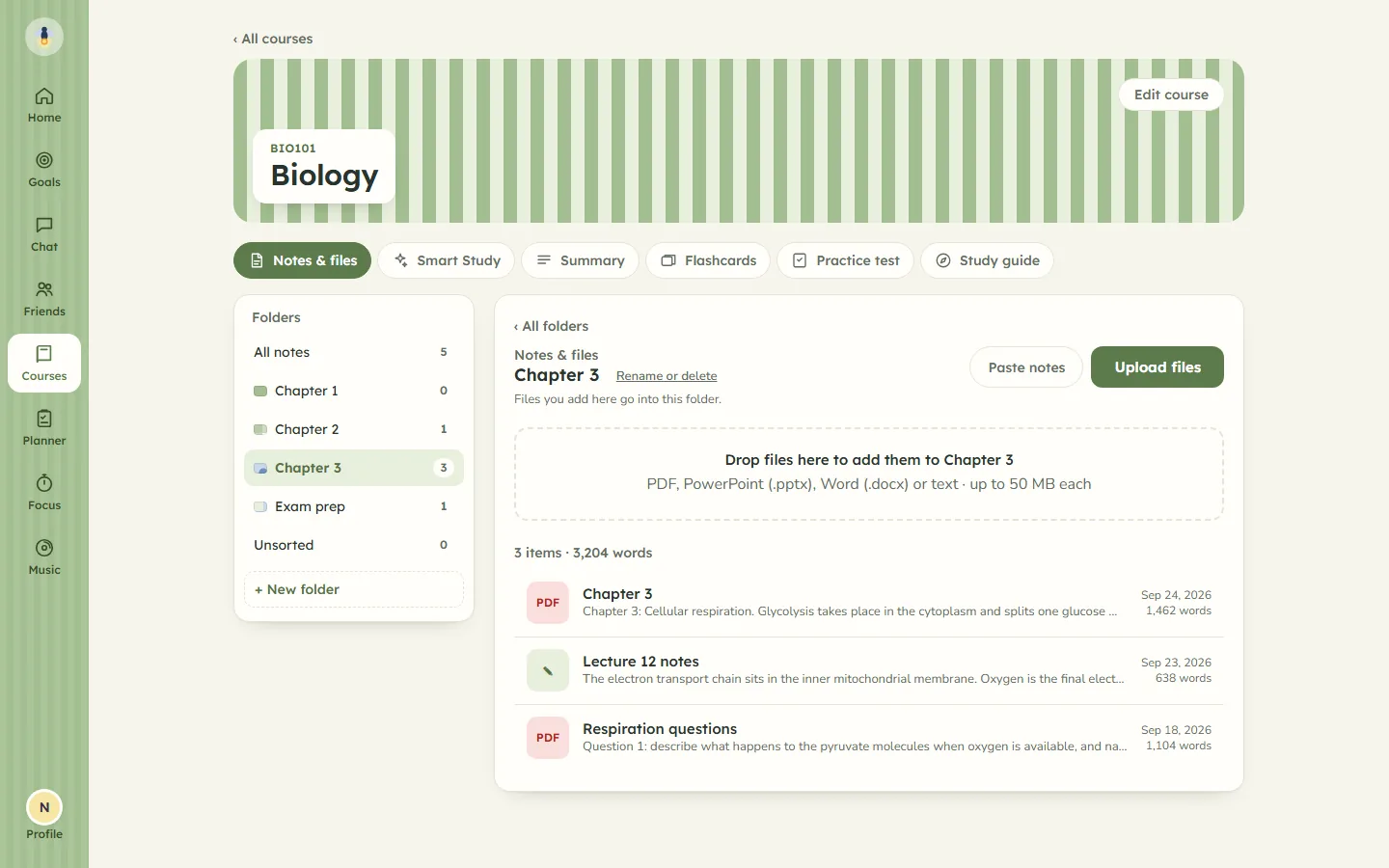
Everything in Firefly starts with a course, and inside it, a folder for each chapter or week. Drop in a PDF, a PowerPoint or a Word file, or paste your notes. The text is taken out of the file inside your browser and only that text is kept. The file itself is never uploaded.
Open Practice test in a folder, or in All notes for the whole course, and choose:
- Questions: 5, 10 or 20.
- Types: multiple choice, true or false, short answer, or any mix of them.
- Difficulty: easy, mixed, or exam level, which asks for questions about understanding and applying ideas rather than recall alone.
Press Start test and Firefly writes a new test from the notes in that folder. Each one is written fresh, not drawn from a fixed bank of questions.
How is a practice test marked?
Firefly marks the test as soon as you submit it, and every question comes with a short explanation of why the right answer is right.
- Multiple choice and true or false are marked right or wrong.
- Short answers are compared with a model answer. The check is forgiving: close wording counts, and so does an answer that has most of the model answer's key words. Because it is a comparison and not a judgement, you can change the mark on any short answer yourself, with "I was right" or "Mark as wrong".
Your score shows as a percentage and as marks out of the total, and every test stays in the folder's list with its score. You do not have to finish in one sitting: "Save and exit" keeps the answers you have given. Submit with questions left blank and Firefly tells you how many first.
Retake starts a new attempt with the same questions, and the first score stays where it was, so you can see whether it went up.
What happens to the study guide when your notes change?
It tells you, and waits for you. Each folder has one study guide, and the whole course has one of its own. When you open it, Firefly checks whether any note in it has been added or edited since the guide was last written. If one has, the guide says "Your notes have changed since this was written" and offers an Update it button. Press it and Firefly writes a new guide from the notes as they are now.
Every guide has the same six sections: what you must know, key terms, how it all fits together, likely exam questions with short answers, common mistakes, and a revision plan. You can copy it or print it.
Nothing is rewritten, or sent anywhere, until you press the button. The first guide is the same: Make the study guide says before you press it that your notes will be sent and that it counts towards your forty a day. Deleting a note does not mark the guide as out of date; adding or editing one does.
Summarise your lecture notes
A summary is a snapshot rather than something that keeps up. Pick short (the main ideas on one page) or detailed (every section explained), and a focus: key points, key terms and definitions, or exam prep. Summaries are saved and can be edited, or you can write your own. When your notes change, make a new one.
The same notes can also become flashcards when you press Generate: see flashcards from your slides.
AI writes it, and AI can be wrong
The tests, summaries and study guides are written by an AI model and are not checked by a person. It is told to use only facts from your notes, but it can still misread a point, mark a wrong option as right, or explain something badly. If a question disagrees with your notes, trust your notes.
What is sent, and where it goes
The title and text of the notes you chose are sent from Firefly's server to Groq, or to Google's Gemini for longer notes or when Groq is unavailable. Nothing that identifies your account goes with them. The privacy page sets out the rest.
Everyone has forty generations a day, counted in South African time. A new test, a summary, a study guide or an update to one, and each press of Generate for flashcards use one each. A retake does not, and adding notes uses none.
What it does not do
- It does not hold past papers or other people's questions. Every question comes from your notes.
- It does not read scanned pages or handwriting. A PDF needs text in it that can be selected.
- It does not charge. Firefly is free while invitations are limited.
Practice tests are one part of Firefly. The same app has a study timer that only counts what you sat through, a weekly planner, and study rooms with friends. See everything Firefly does.